Events
Overview
The Events screen displays all events available within the scope of the selected GATE key. If an event is not visible here, it does not exist for this session. The app does not fetch “everything” but rather just the events scoped by the GATE key.
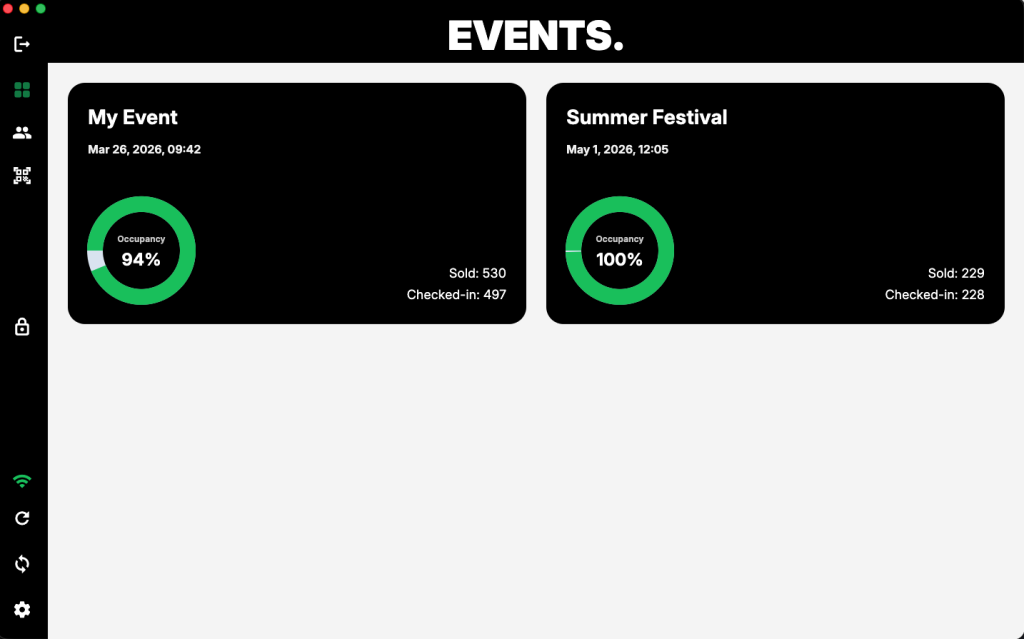
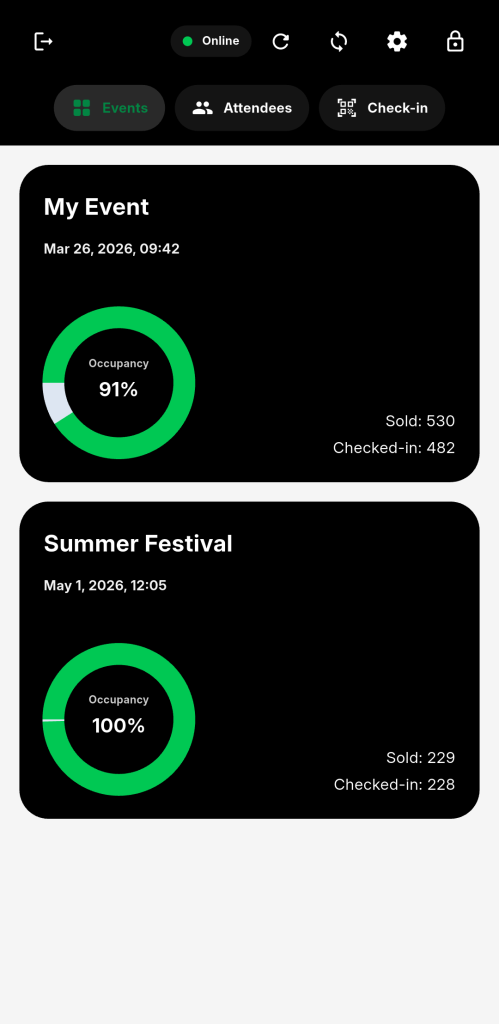
Each event is presented as a card with key information needed for quick decisions during live check-in.
Event cards
Each event is displayed as a separate card.
The card includes:
- event name
- date and time
- occupancy indicator
- total tickets sold
- number of attendees checked in
This is meant to be readable at a glance. No drill-down required just to understand the current state.
Occupancy indicator
The circular indicator shows current occupancy based on check-ins relative to total tickets.
It gives a quick visual signal of how full the event is. At a glance, you can tell whether you’re at 20% or approaching capacity.
It is not decorative. It is there so you don’t have to read numbers under pressure.
Sold vs checked-in
Each card shows two values:
- Sold – total number of tickets
- Checked-in – number of attendees already processed
The difference between these two numbers represents how many attendees are still expected.
Even if tickets have multiple check-ins allowed per single ticket, if the ticket is checked-in even once, it will be counted as checked-in. The whole point of this is to tell how many people entered and how many there are still waiting (hopefully not for much longer).
Behavior notes
- Events are loaded based on the GATE key scope
- The list is not editable from the app
- Data is fetched from the server or master device and cached locally for performance and offline use